
Pet diary user guide
Saving to a file and printing
Your entries belong to you. You can save the whole diary as a file, print the vet summary and the pet passport, and add due dates to your phone’s calendar. Saving works without a subscription too.
The whole diary as a file
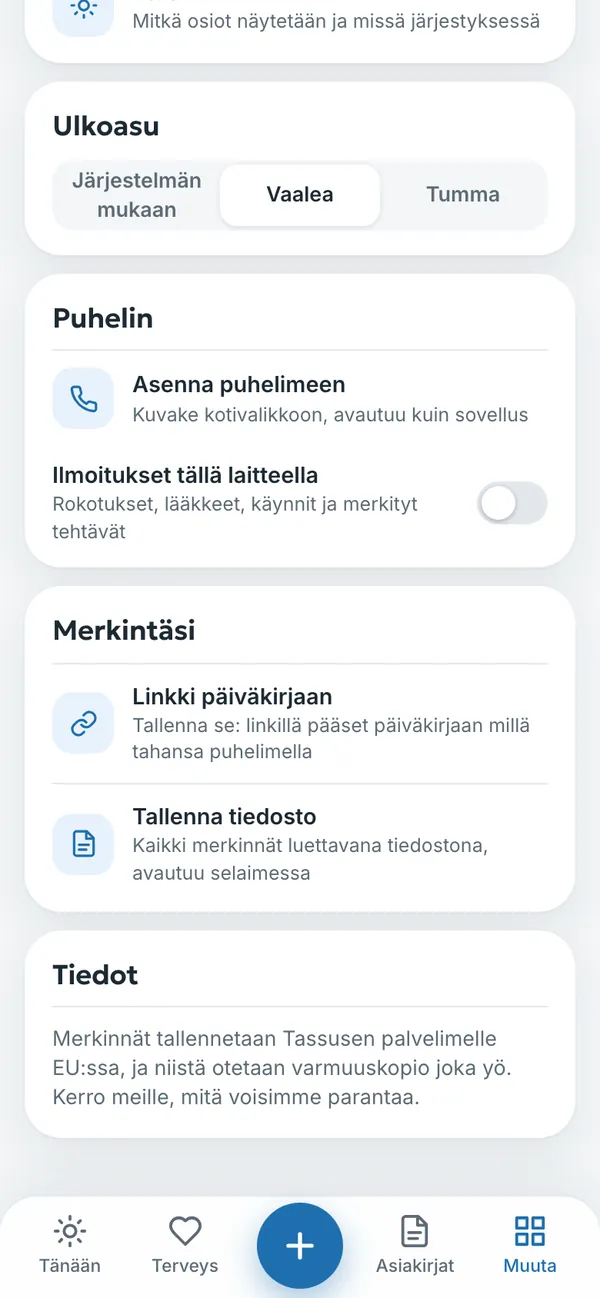
- Open Muuta → Asetukset (More → Settings).
- Under Merkintäsi (Your entries), tap Tallenna tiedosto (Save file).
- You get all entries, by pet and section, as one readable file. It opens in any browser, and you do not need the diary to read it.
Printing
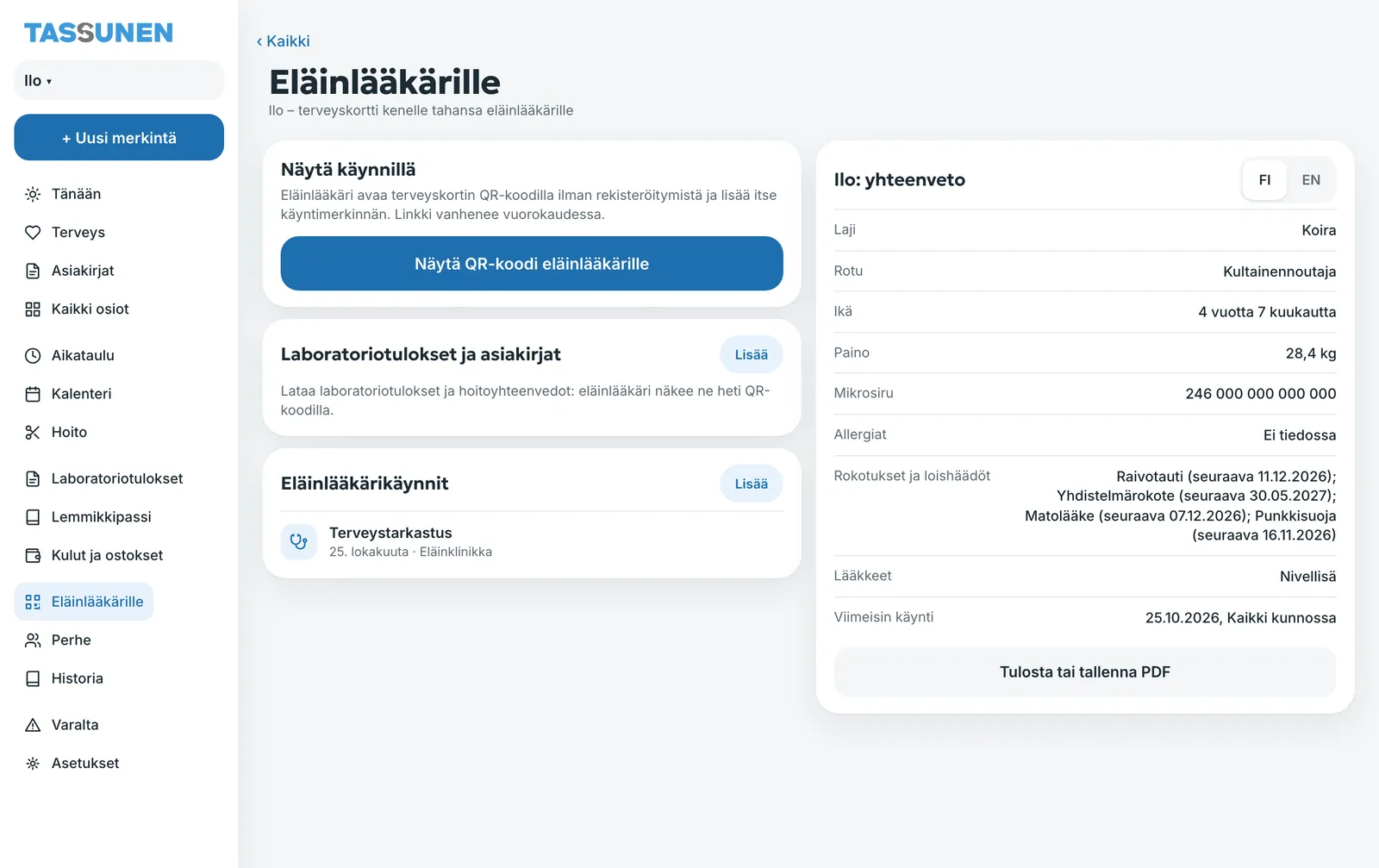
- Vet summary: Muuta → Eläinlääkärille (More → For the vet), choose FI or EN and tap Tulosta tai tallenna PDF (Print or save PDF).
- Pet passport: Asiakirjat → Lemmikkipassi (Documents → Pet passport), in Finnish or English.
- Other pages can be printed with the browser’s print function. Menus are left out of the printout, and the diary’s heading is added at the top.
Due dates in your phone’s calendar
Muuta → Kalenteri → Lisää määräajat puhelimen kalenteriin (More → Calendar → Add due dates to your phone’s calendar) saves the due dates as a calendar file that your phone’s or computer’s calendar opens.
History and search
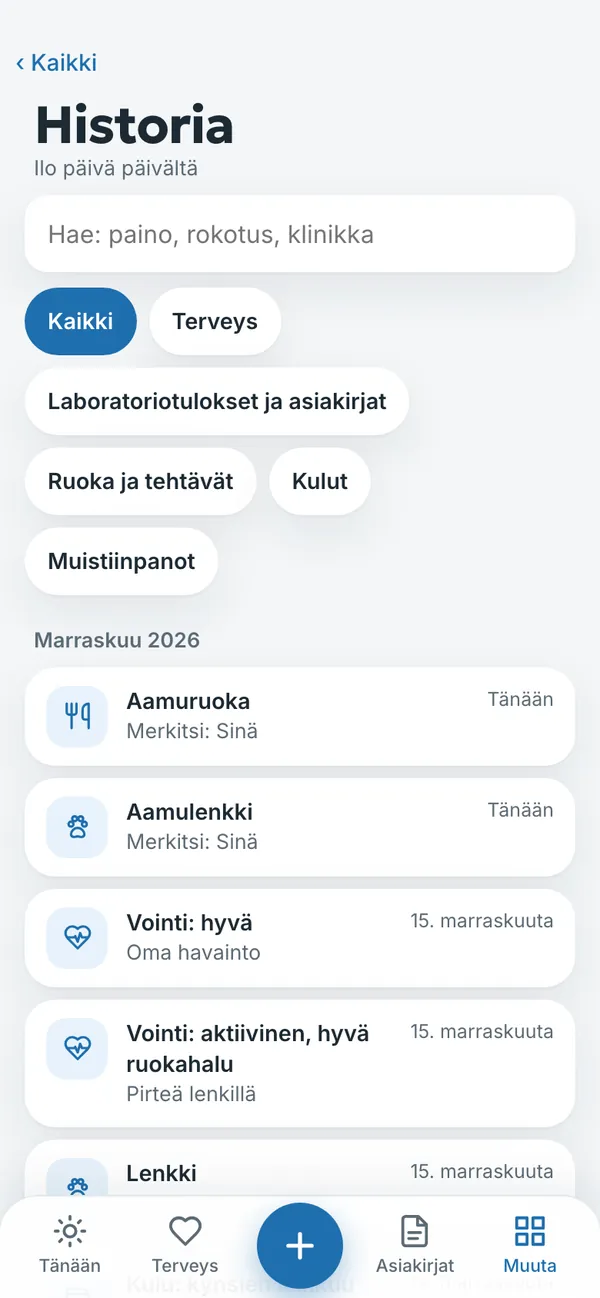
Muuta → Historia (More → History) shows all entries day by day. You can search, for example for weight, vaccination or clinic, and filter entries: health, lab results and documents, food and tasks, expenses or notes.
Link to your diary
Under Linkki päiväkirjaan (Link to the diary) in Settings you get a link that opens your diary on any phone. Keep it somewhere safe. You can always sign in with a code sent to your email as well.
Try it yourself
In the example you can tap everything without signing in. Your own diary: 14 days free with no payment card.
The service is provided by TECHNOLOGY-R2 LLP, info@tassunen.fi. Pricing · Terms of Service · Refund Policy · Privacy Policy · Contact
Guide updated 16.11.2026