
Pet diary user guide
QR code for the vet and for the collar
Show a QR code at the clinic and the vet sees your pet’s health card without registering. With a QR code on the collar, whoever finds your pet can contact you if it goes missing.
Showing the QR code at the vet
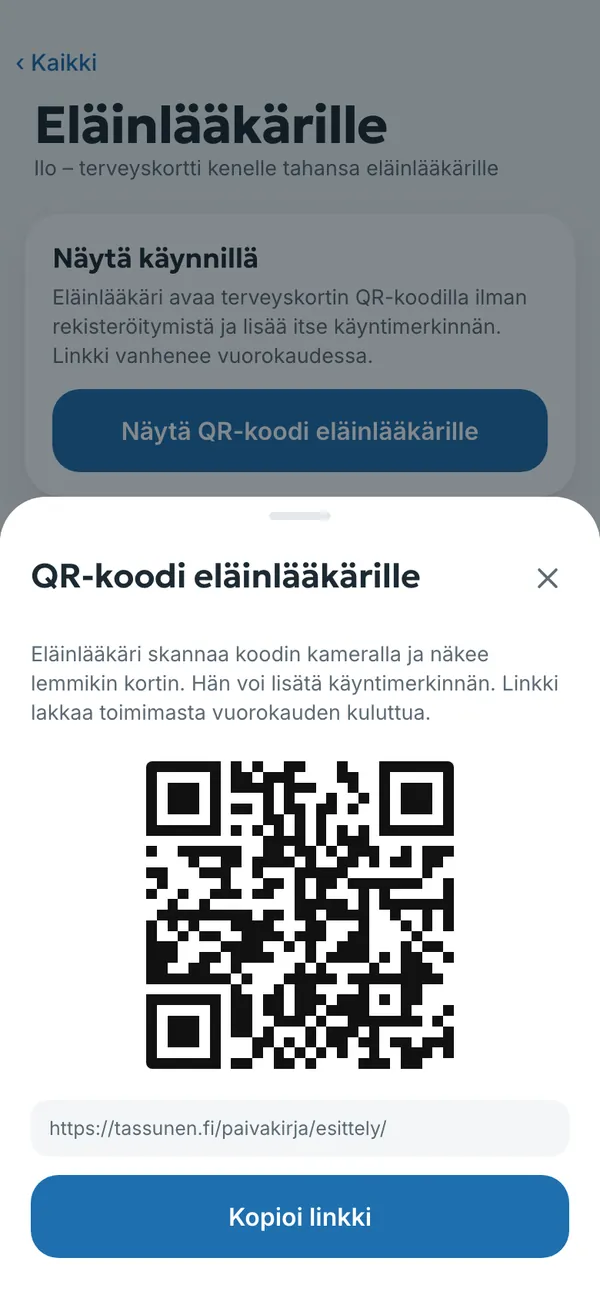
- Open Muuta → Eläinlääkärille (More → For the vet).
- Tap Näytä QR-koodi eläinlääkärille (Show QR code to the vet).
- The vet scans the code with a camera and sees weight, vaccinations, medications, lab results with their forms and your observations.
- The vet can add a visit entry, which stays in your diary.
- The link stops working after 24 hours. You can also copy the link with Kopioi linkki (Copy link) and send it.
- The vet does not need to register or install anything.
- The link closes by itself after 24 hours, and you can see who opened it.
- Even if you change vets or move to another city, you keep the whole history.
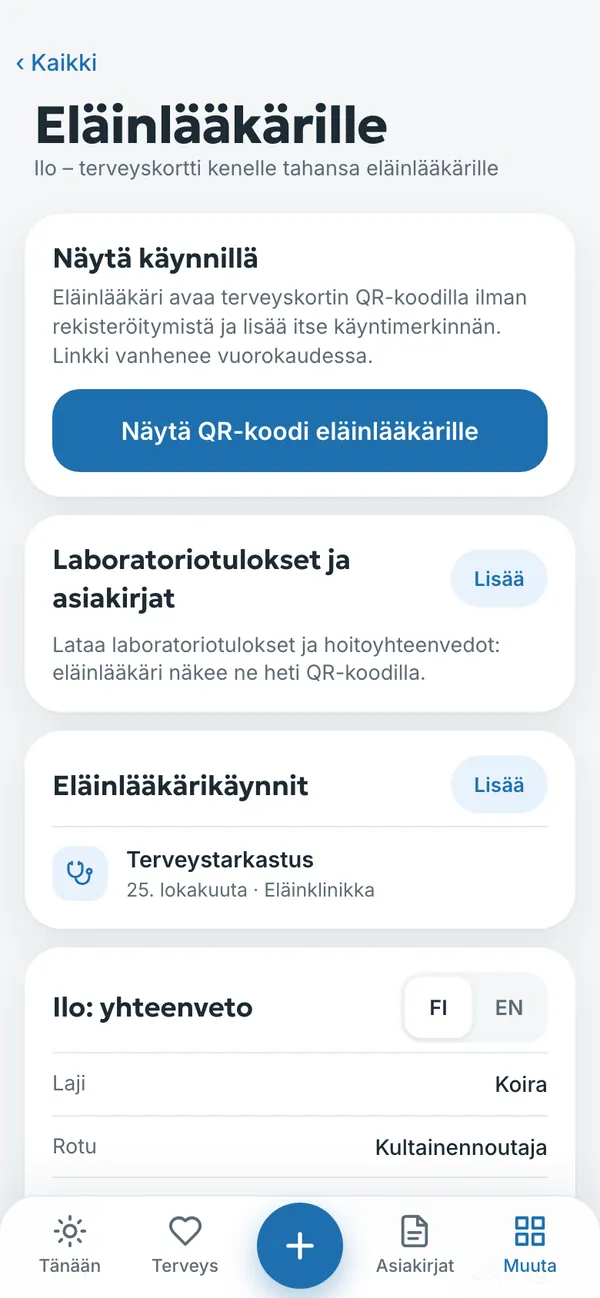
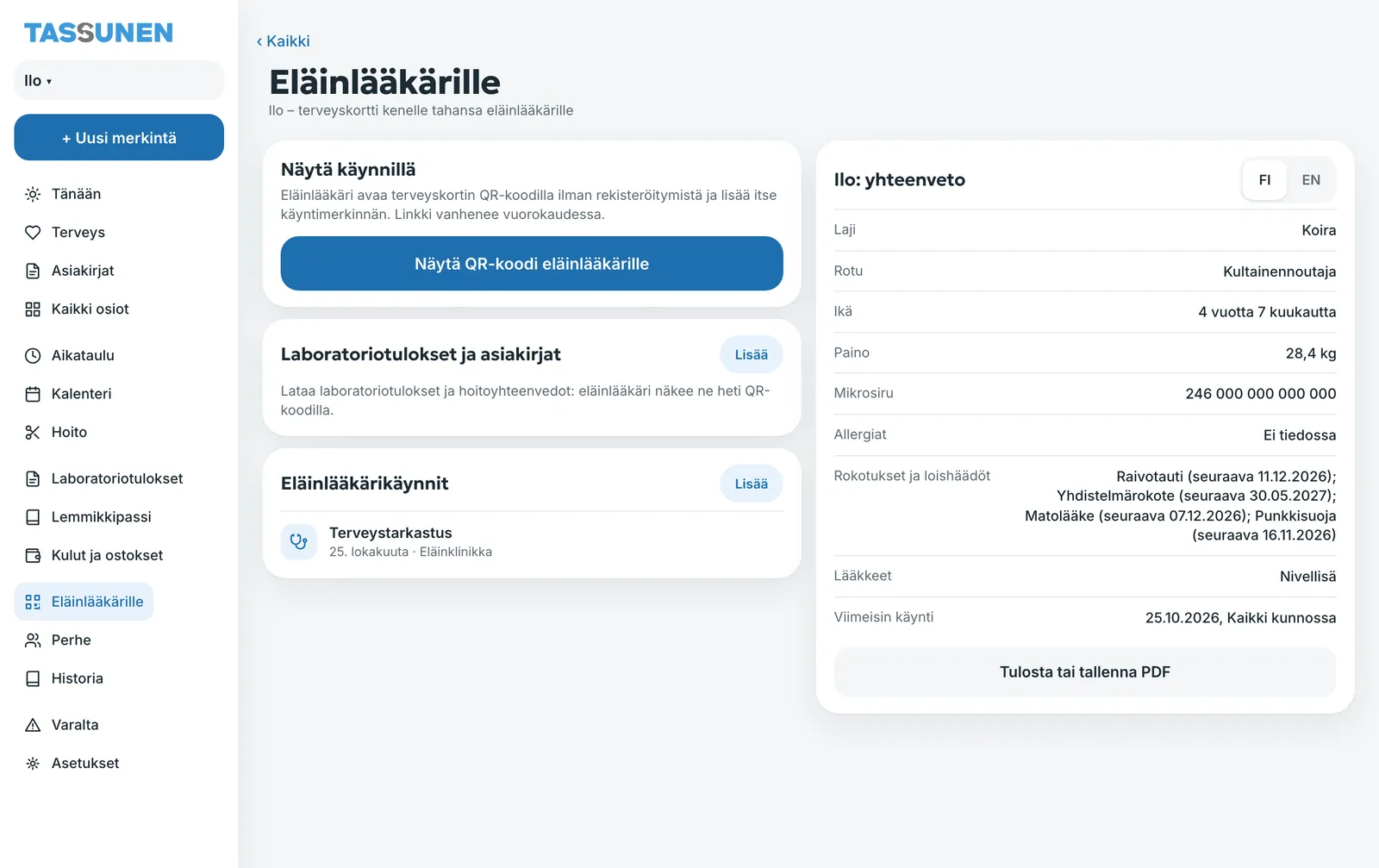
A one-page summary
The same page has your pet’s yhteenveto (summary): species, breed, age, weight, microchip, allergies, vaccinations and parasite treatments, medications and the latest visit. It can be shown in Finnish or English (FI / EN) and printed or saved as a PDF with Tulosta tai tallenna PDF (Print or save PDF). You add lab results and treatment summaries on the same page, and the vet sees them right away through the QR code.
Collar QR code in case your pet goes missing
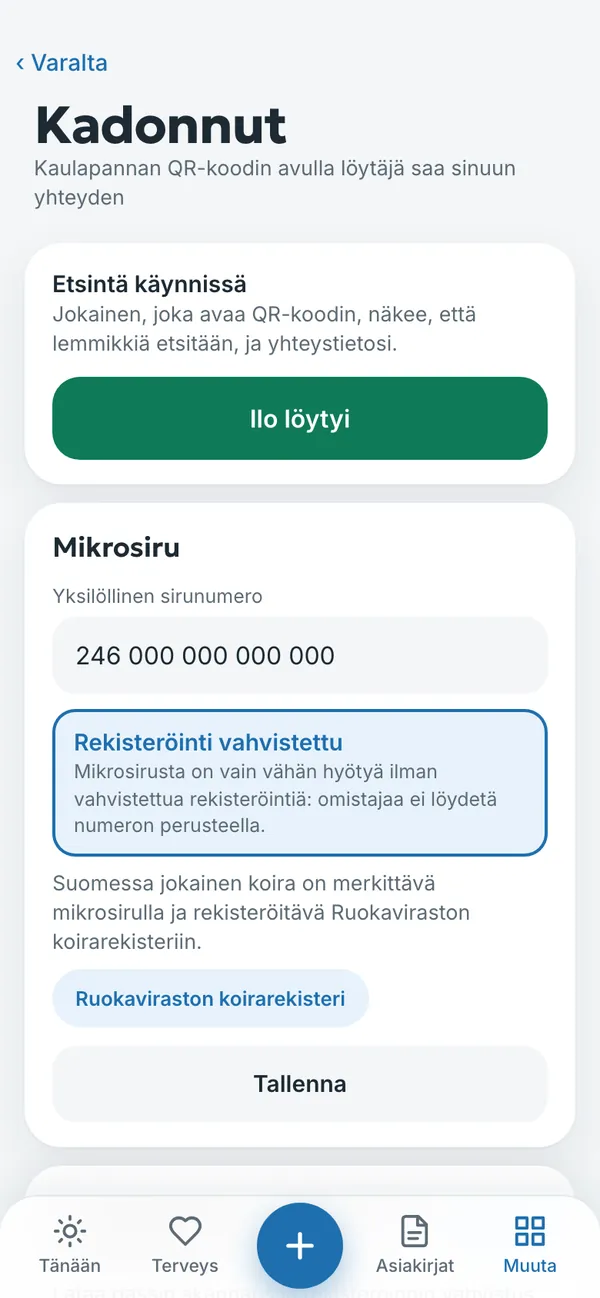
- Open Muuta → Varalta (More → Just in case) and tap Jos [pet] on kadonnut (If [pet] is lost).
- Print the QR code and attach it to the address tag on the collar. The code does not change.
- If your pet goes missing, turn on the search with one button. A finder points a camera at the code and sees the pet’s name, your contact details and the key information.
- When your pet is found, tap [name] löytyi ([name] was found) to end the search.
- When the search is off, your contact details are not shown to anyone.
- The same page holds the microchip number and registration confirmation. In Finland every dog must be microchipped and registered in the Finnish Food Authority’s dog register.
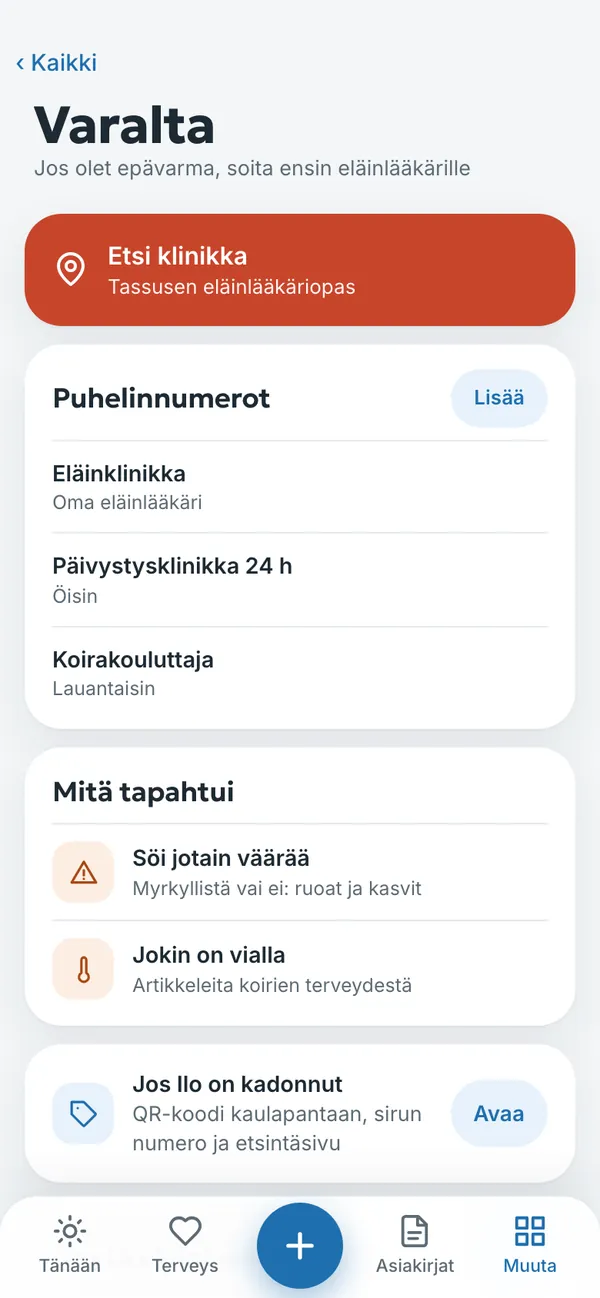
The Varalta (Just in case) section also holds the phone numbers of your vet and an emergency clinic, and instructions in case your pet ate something it should not have. There is a Hätätilanne (Emergency) button at the top of the home screen.
Try it yourself
In the example you can tap everything without signing in. Your own diary: 14 days free with no payment card.
The service is provided by TECHNOLOGY-R2 LLP, info@tassunen.fi. Pricing · Terms of Service · Refund Policy · Privacy Policy · Contact
Guide updated 16.11.2026