
Pet diary user guide
Health: vaccinations, medications, visits, lab results and weight
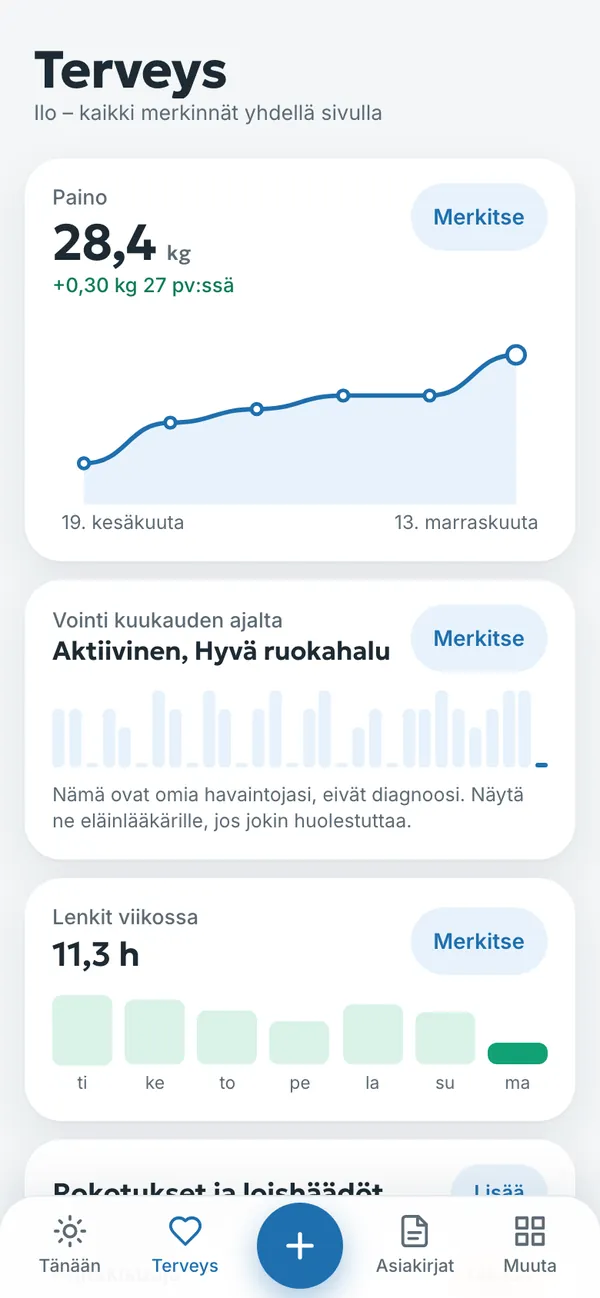
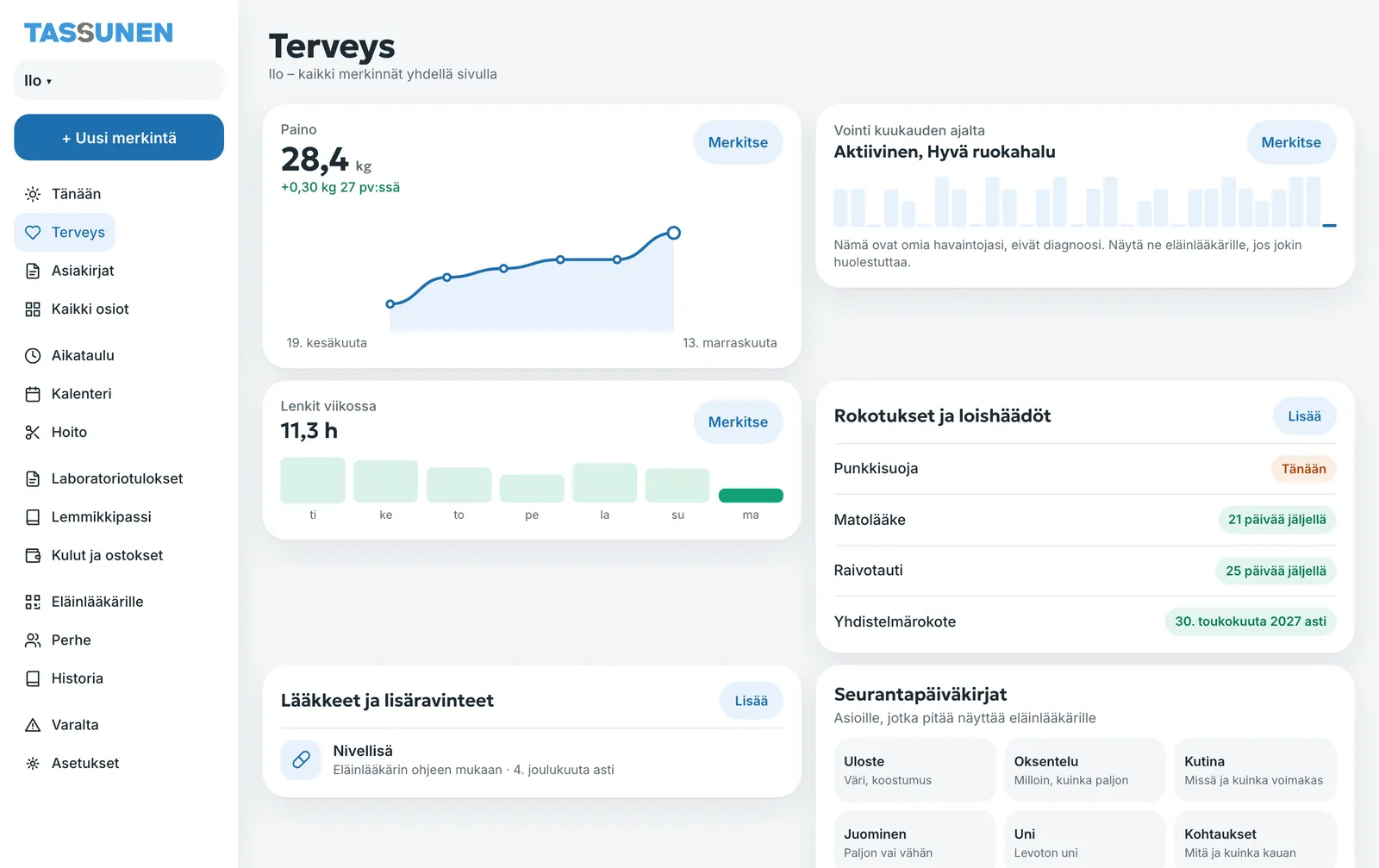
The Health section (Terveys) brings health records together on one page: weight, wellbeing, vaccinations and parasite treatments, medications and symptom logs. Lab results and clinic documents are in the Documents section (Asiakirjat).
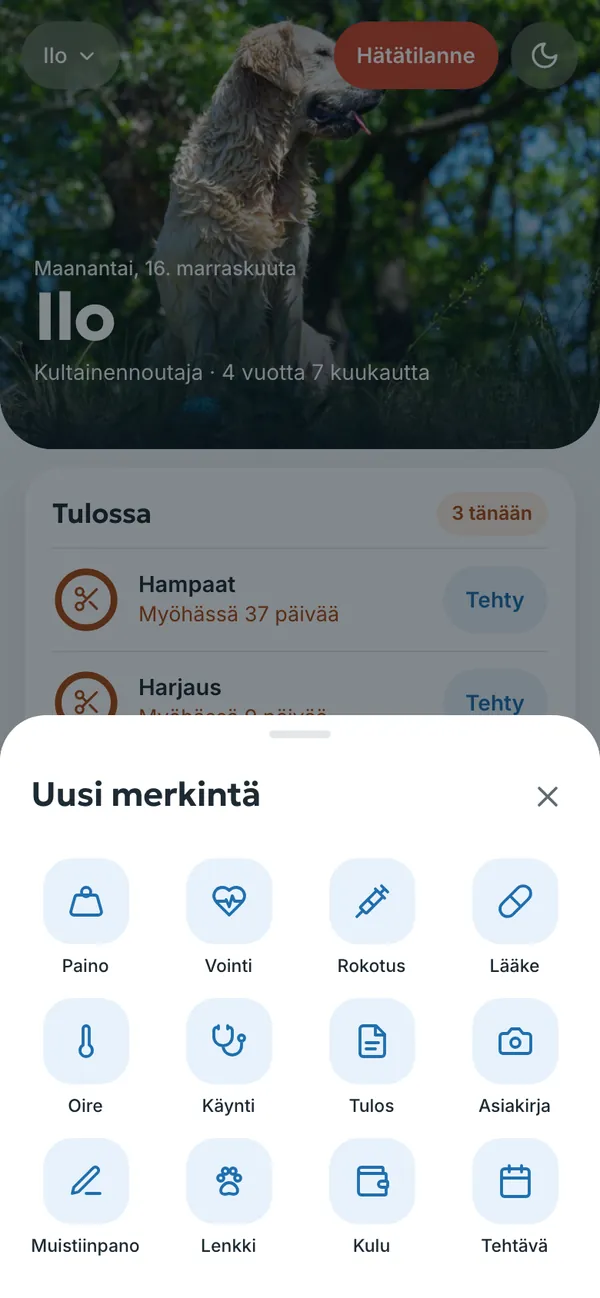
A new entry in a couple of taps
Tap the + button at the bottom (on a computer, + Uusi merkintä, + New entry) and choose the type of entry. Fill in the fields and tap Tallenna (Save). You can also add an entry directly with a section’s Lisää (Add) or Merkitse (Record) button. A saved entry can be opened, edited or deleted.
Vaccinations and parasite treatments
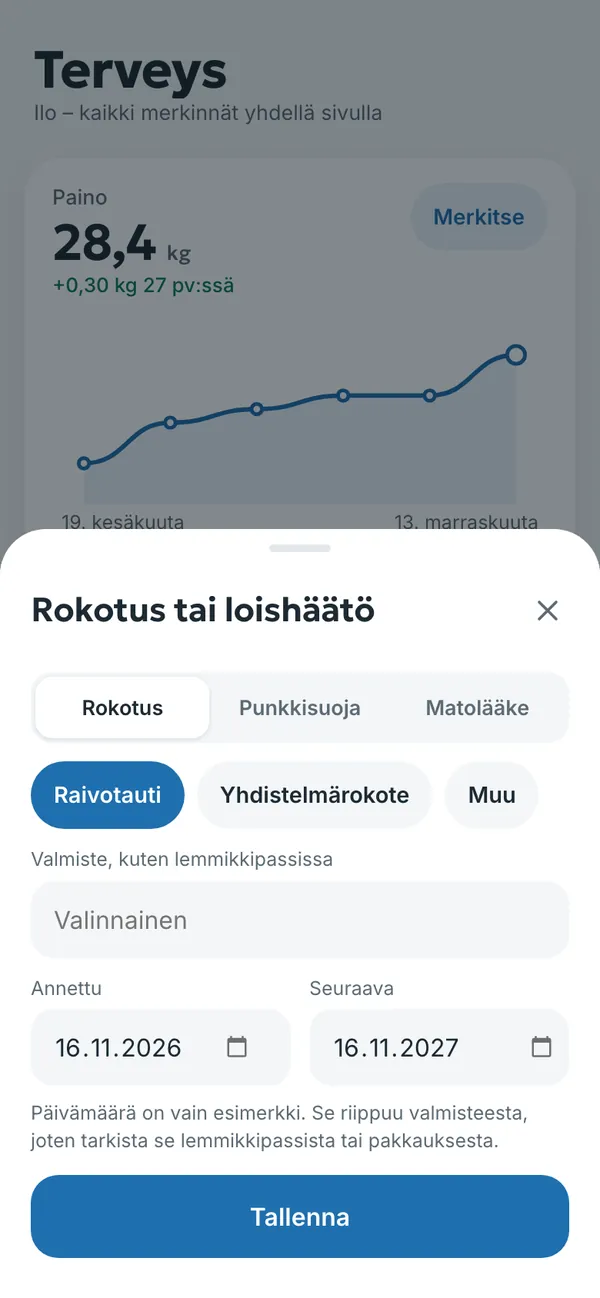
- Choose + → Rokotus (Vaccination), or in Health, Rokotukset ja loishäädöt → Lisää (Vaccinations and parasite treatments → Add).
- At the top, choose Rokotus (Vaccination), Punkkisuoja (Tick protection) or Matolääke (Dewormer). For a vaccination, also choose the vaccine, for example rabies or a combination vaccine.
- If you like, enter the product name as written in the pet passport.
- Check the Annettu (Given) and Seuraava (Next) dates. The next date is filled in for you, but it is only a suggestion: it depends on the product, so check it in the pet passport or on the package and correct it if needed.
- Tap Tallenna (Save). The diary reminds you of the next one in good time.
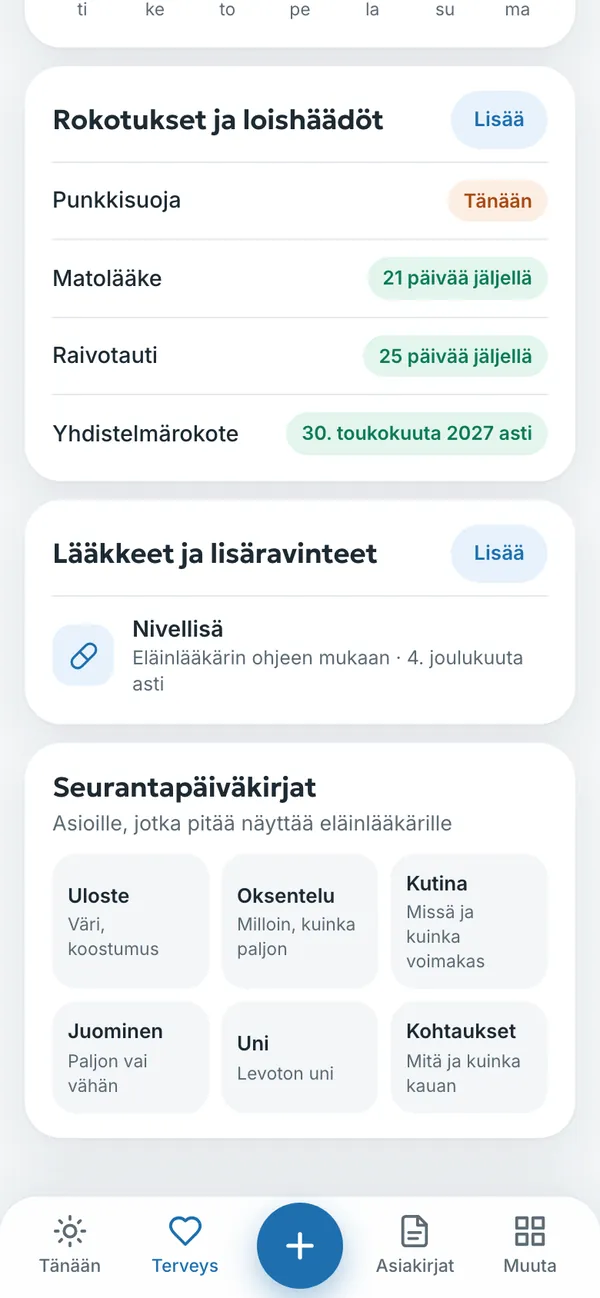
The list in Health shows the status of each vaccination and parasite treatment: how many days are left or until when protection is valid. Vaccinations are also copied to the pet passport.
Medications and supplements
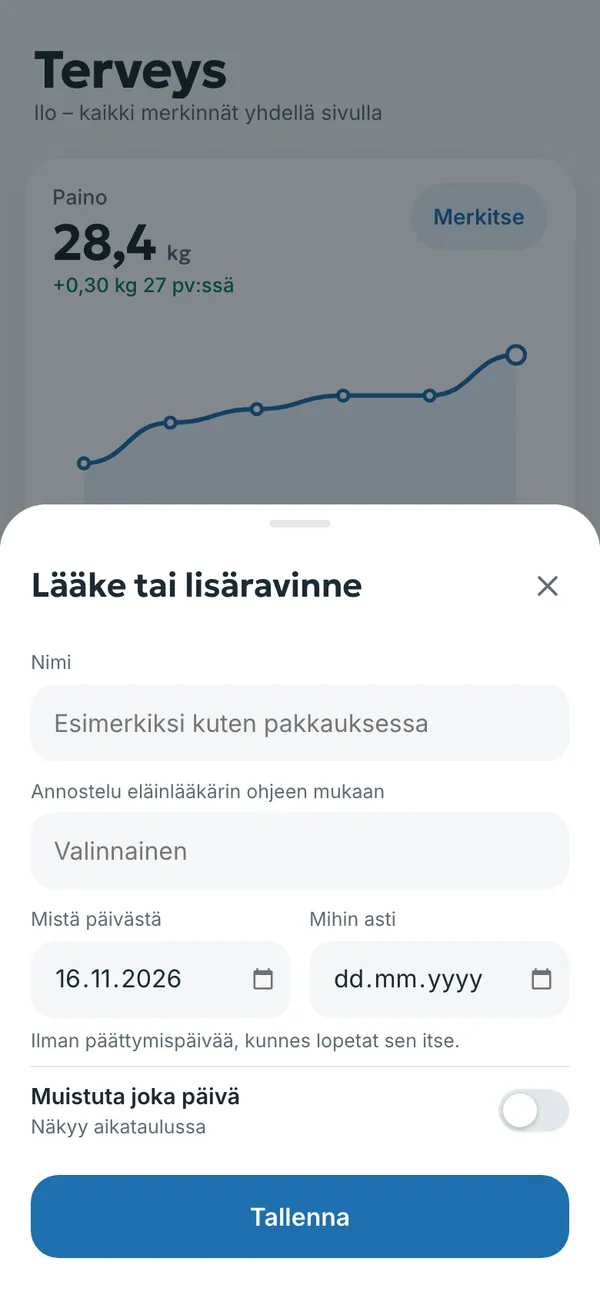
- Choose + → Lääke (Medication), or in Health, Lääkkeet ja lisäravinteet → Lisää (Medications and supplements → Add).
- Enter the medication name as on the package and the dosage as instructed by your vet.
- Choose Mistä päivästä (From) and Mihin asti (Until). Without an end date, the medication continues until you stop it.
- Turn on Muistuta joka päivä (Remind me every day) if you want a reminder. The medication then also appears in the schedule.
- Tap Tallenna (Save).
The diary does not recommend medications or doses. Always record the dosage according to your vet’s instructions or the package leaflet.
Vet visits
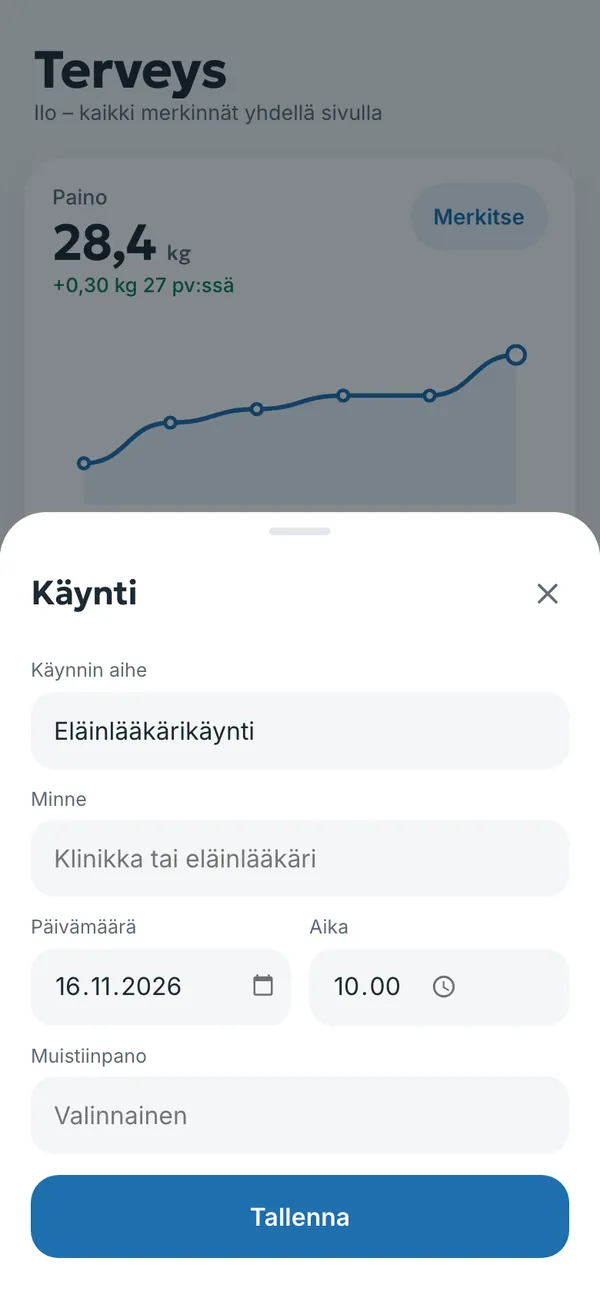
Record a visit with + → Käynti (Visit): reason, where (clinic or vet), date, time and a note. You get a reminder before an upcoming visit, and past visits appear in the history and in the vet summary. A vet can also add a visit entry through the QR code.
Weight and wellbeing
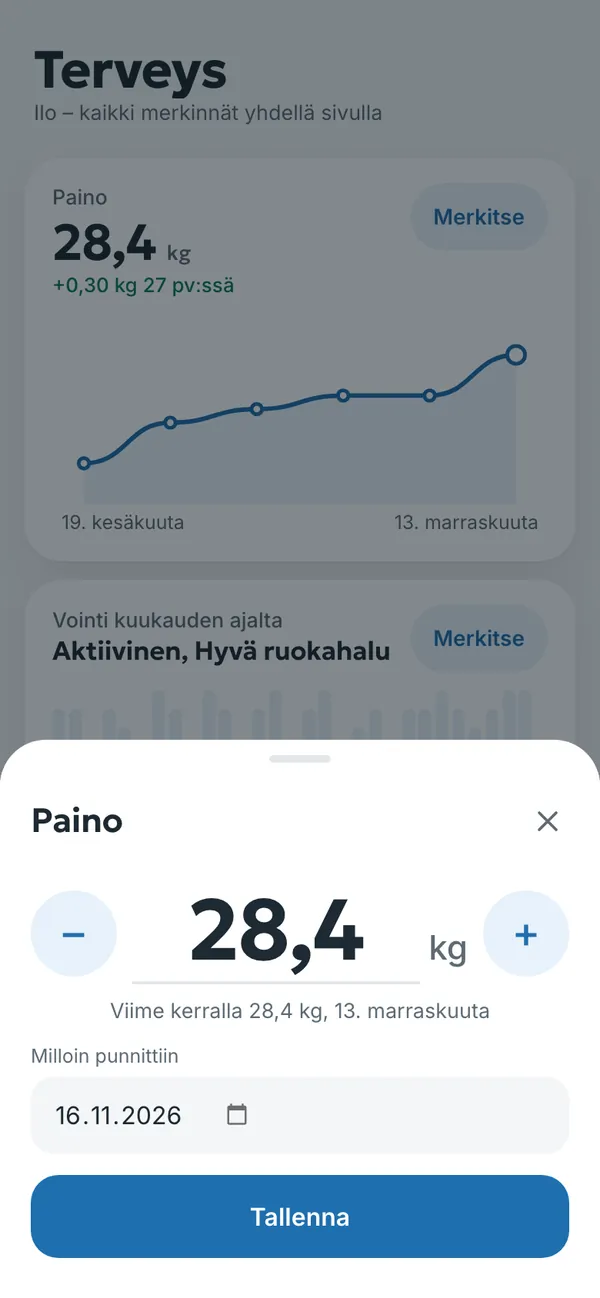
Record weight with + → Paino (Weight) or the Merkitse (Record) button in Health. Adjust the value with − and + or type it, and choose the date of weighing. The diary draws a weight chart and shows the change since the previous weighing.
Wellbeing is recorded with one tap, for example active, good appetite or sleepy. The chart shows a month of observations. These are your own observations, not diagnoses; show them to your vet if something worries you.
The Seurantapäiväkirjat (Symptom logs) are for things worth showing a vet: stool, vomiting, itching, drinking, sleep and seizures. A symptom can also be recorded with + → Oire (Symptom).
Lab results and documents
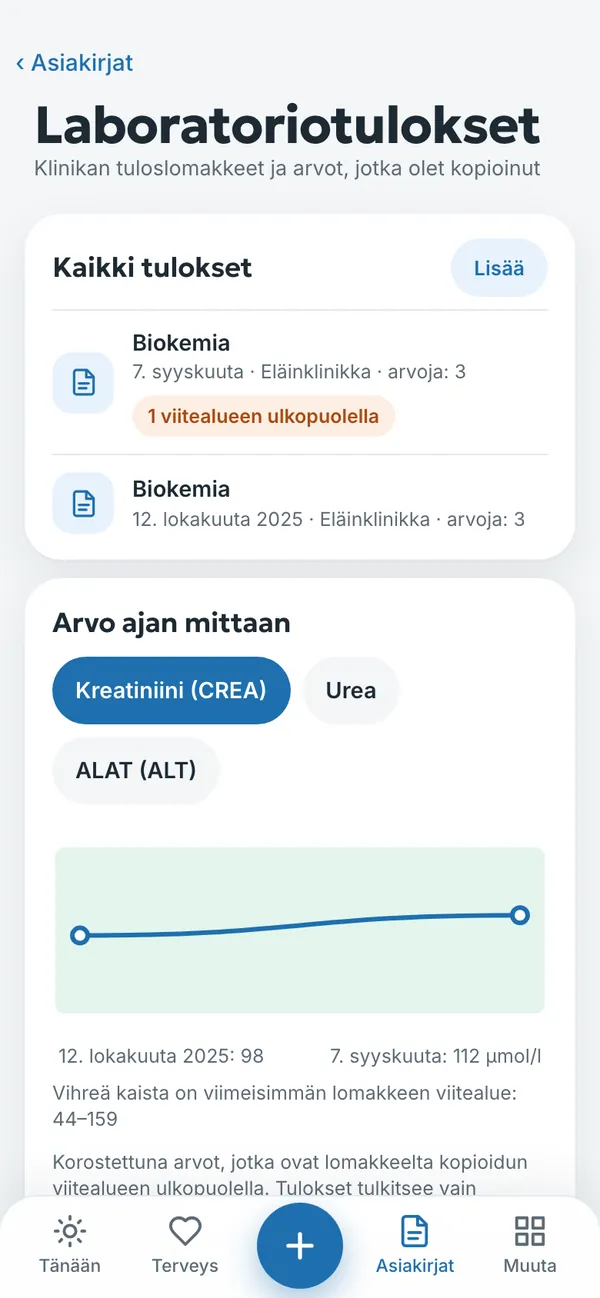
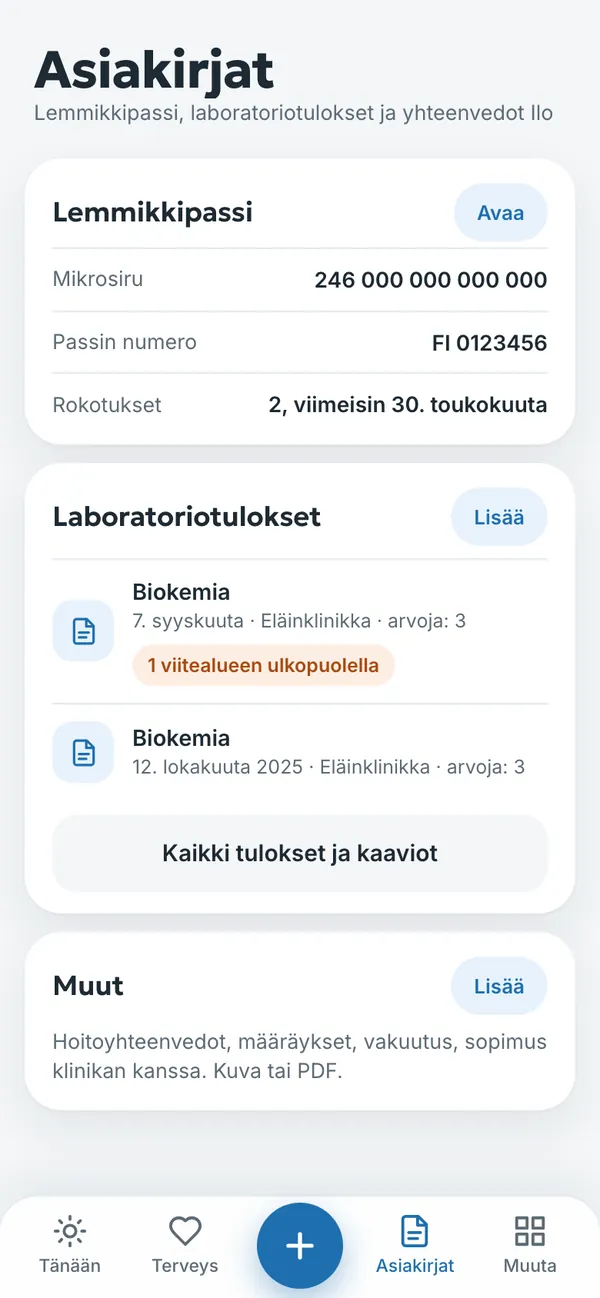
- Open Asiakirjat → Laboratoriotulokset → Lisää (Documents → Lab results → Add), or choose + → Tulos (Result).
- Take a photo of the clinic’s results form or upload a PDF.
- If you like, copy the values and reference ranges from the form.
- The diary draws a Arvo ajan mittaan (Value over time) chart and highlights values outside the reference range.
The diary does not interpret results or give advice. It only compares a value with the reference range on the form. Your vet explains the results.
The Documents section also holds the pet passport and Muut (Other) documents: treatment summaries, prescriptions, insurance and agreements with a clinic, as a photo or PDF.
Try it yourself
In the example you can tap everything without signing in. Your own diary: 14 days free with no payment card.
The service is provided by TECHNOLOGY-R2 LLP, info@tassunen.fi. Pricing · Terms of Service · Refund Policy · Privacy Policy · Contact
Guide updated 16.11.2026