
Pet diary user guide
Getting started and signing in
The pet diary opens in your web browser at tassunen.fi/paivakirja. There is nothing to download from an app store and no password: you sign in with a code sent to your email.
What the pet diary is
In the pet diary you record your cat’s or dog’s health and daily care: vaccinations and parasite treatments, medications, weight, wellbeing, vet visits, lab results and clinic documents. The diary reminds you of due dates and keeps everything together, so it is at hand at the vet, when travelling and when your pet stays with a pet sitter.
One diary can hold any number of cats and dogs, and the whole family can use it on their own phones.
How to start
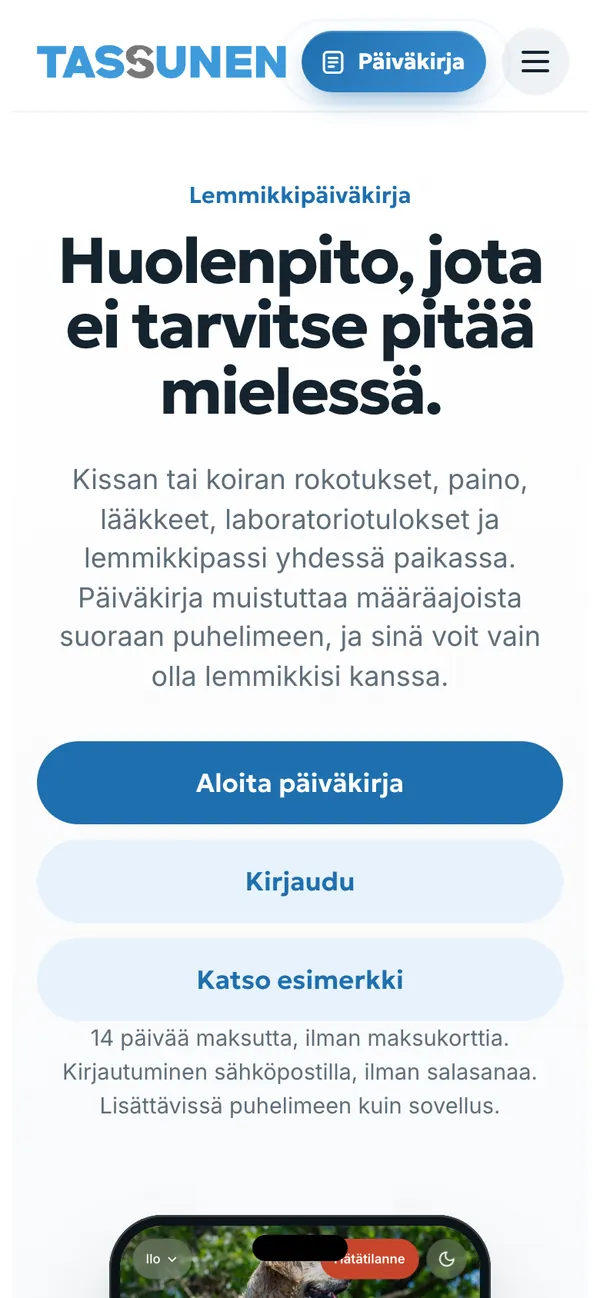
- Open tassunen.fi/paivakirja and tap Aloita päiväkirja (Start a diary). If you already have a diary, tap Kirjaudu (Sign in).
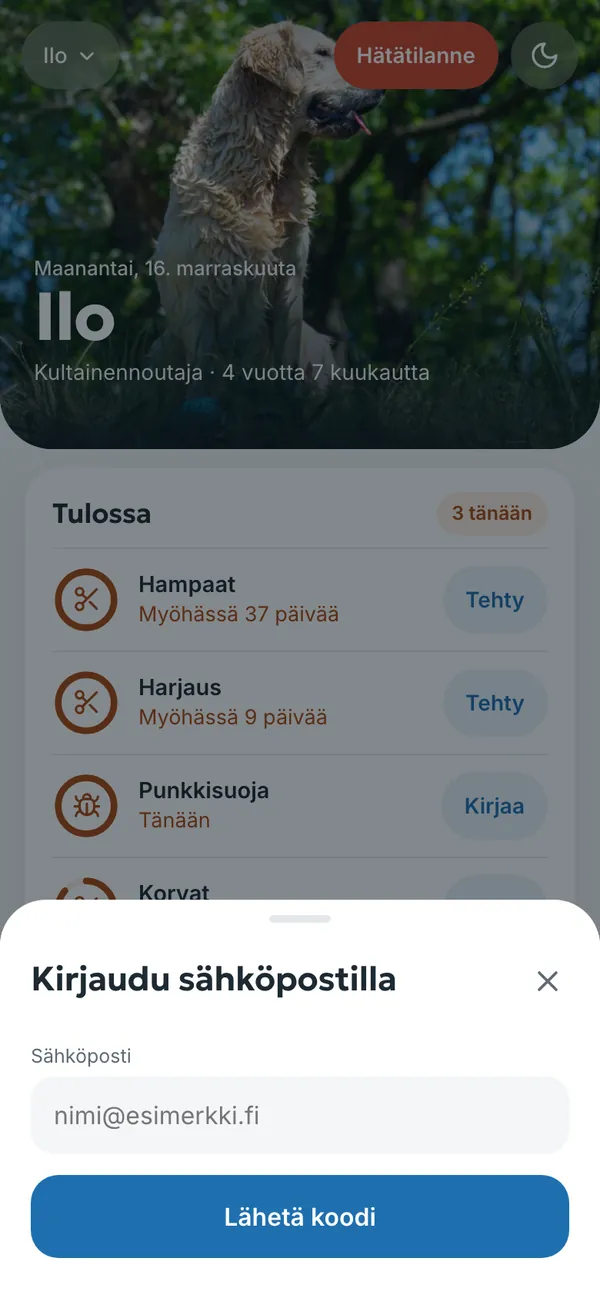
- Enter your email address and tap Lähetä koodi (Send code).
- Open the email and enter the 6-digit code in the Koodi viestistä (Code from the email) field. The email usually arrives within a minute; check your spam folder if needed. You can get a new code with Lähetä uudelleen (Send again).
- A new email address creates a new diary. With an address you have used before, your own diary opens on any phone or computer.
- Add your pet: a name and whether it is a cat or a dog. Everything else is optional and can be filled in later.
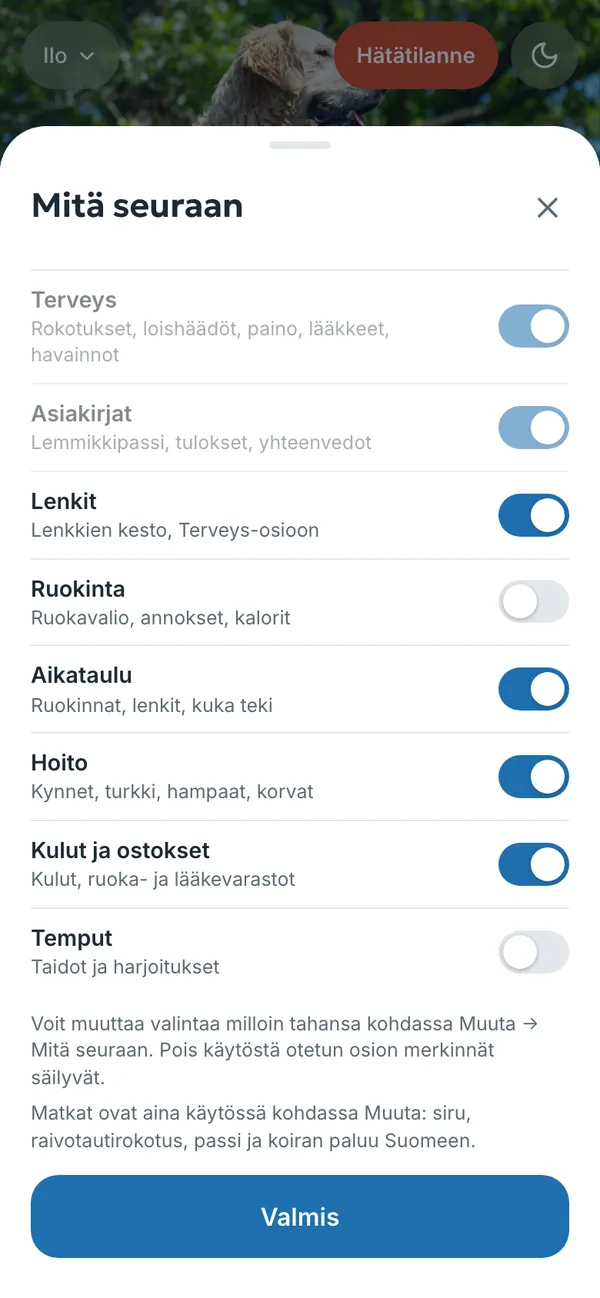
- Choose what you want to track. Health (Terveys) and Documents (Asiakirjat) are always on. Walks, feeding, schedule, grooming, expenses and tricks are optional, and you can change the selection at any time under Muuta → Mitä seuraan (More → What I track).
Your email address is used for signing in and, if you want, for reminders. We do not send newsletters.
Try the example first
Katso esimerkki (See the example) opens a diary filled in for a fictional dog called Ilo, without signing in. You can tap everything in the example and nothing is saved. The screenshots in this guide come from the same example.
How the diary is organised
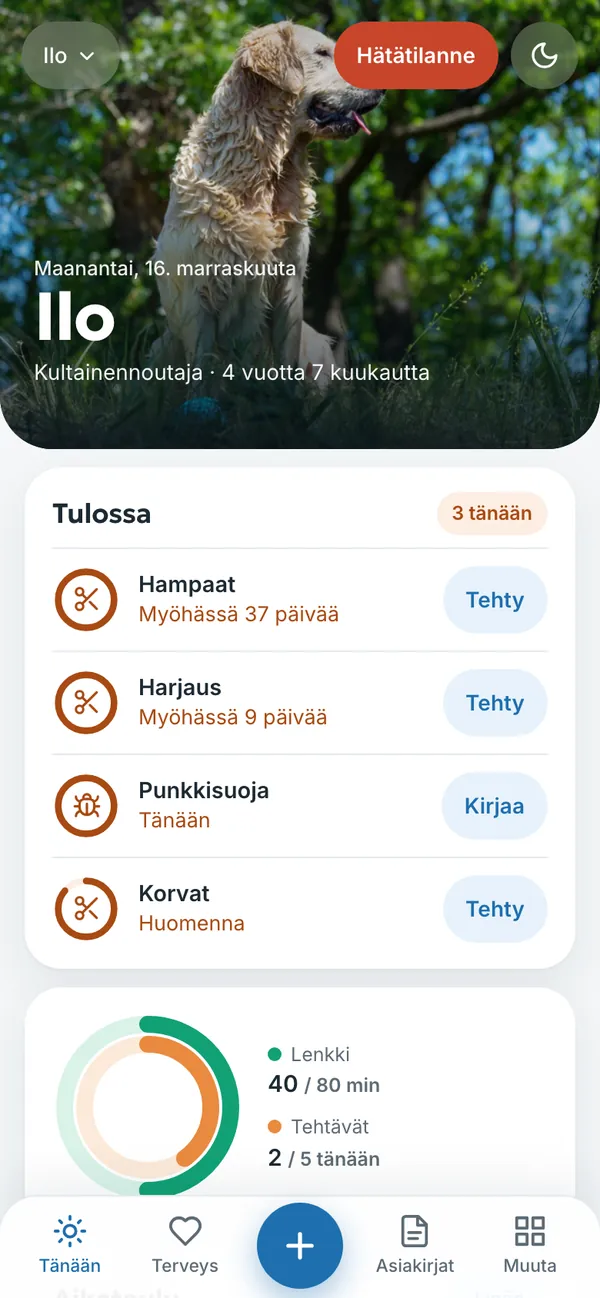
On a phone, the menu at the bottom of the screen has four sections and a plus button in the middle:
- Tänään (Today) – the home screen: upcoming due dates, today’s tasks, walks, weight and wellbeing. What needs doing now is always at the top.
- Terveys (Health) – weight, wellbeing, vaccinations and parasite treatments, medications and symptom logs.
- + – a new entry, for example weight, wellbeing, vaccination, medication, symptom, visit, lab result, document, note, walk, expense or task.
- Asiakirjat (Documents) – the pet passport, lab results and other documents.
- Muuta (More) – all other sections: schedule, calendar, grooming, expenses and shopping, for the vet, family, history, just in case, travel, settings and subscription.
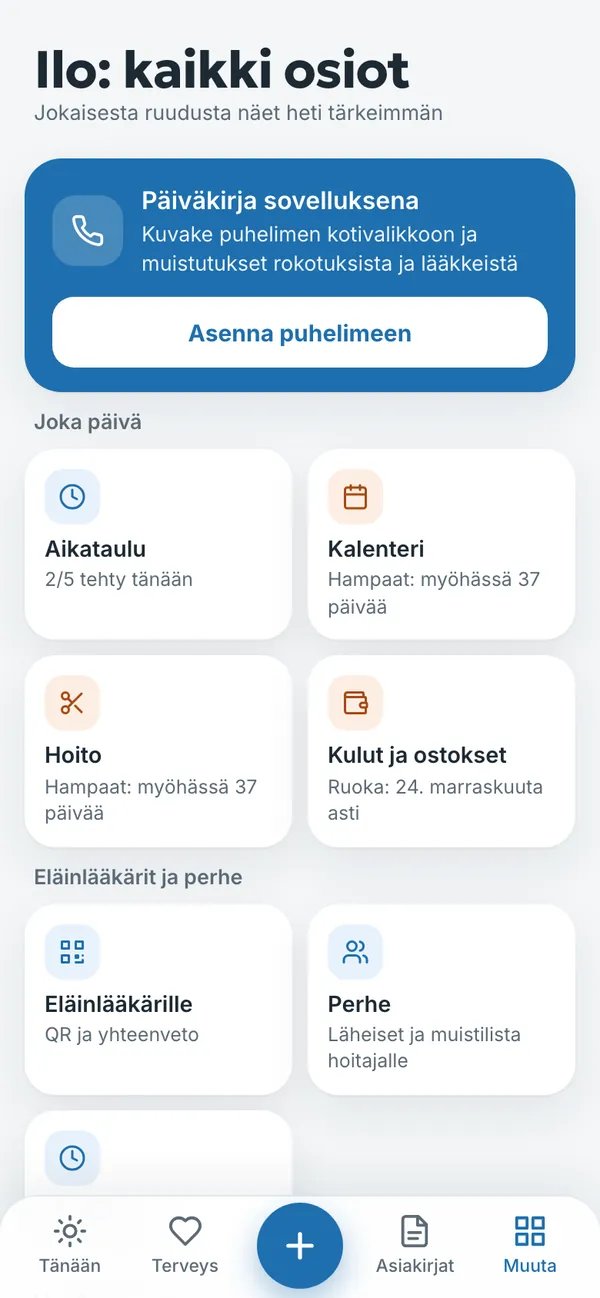
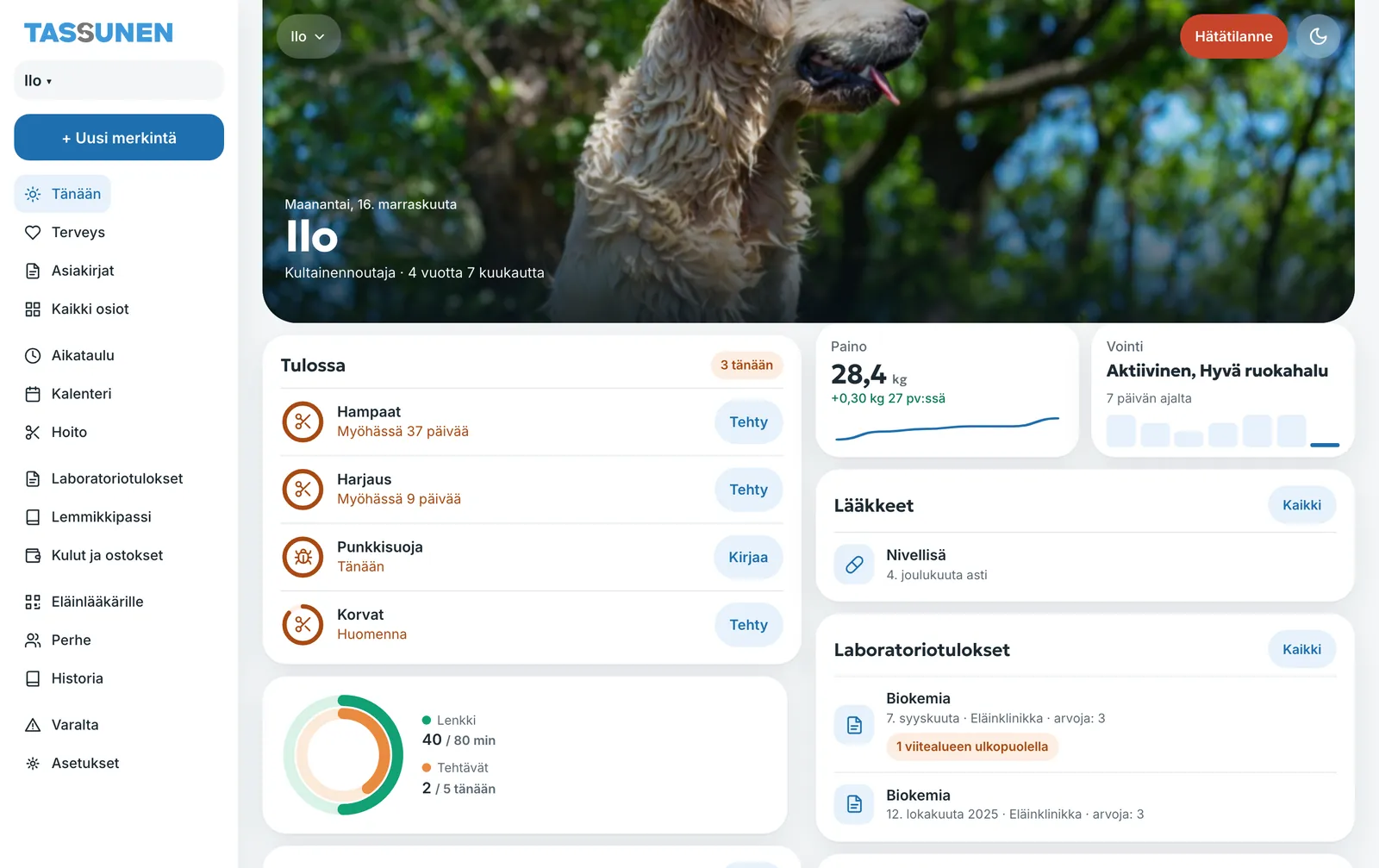
You can add the diary to your phone’s home screen so that it opens like an app and reminders arrive as notifications. See Reminders and notifications.
Try it yourself
In the example you can tap everything without signing in. Your own diary: 14 days free with no payment card.
The service is provided by TECHNOLOGY-R2 LLP, info@tassunen.fi. Pricing · Terms of Service · Refund Policy · Privacy Policy · Contact
Guide updated 16.11.2026